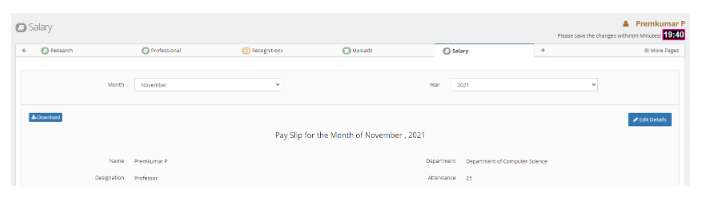
How to Bulk import Monthly Salary Slips ?
Introduction:
HRMS is an indigenous application which helps the Organization to accumulate and maintain the Human Resource data. This document describes how the admin import monthly salary slips.
Getting Started:
To access Human Resource Management System
Open an internet browser (Recommended to use Google Chrome)
Type https://my.amrita.edu/ and click enter
Login with your amrita email id and password.
Click HUMAN RESOURCES.
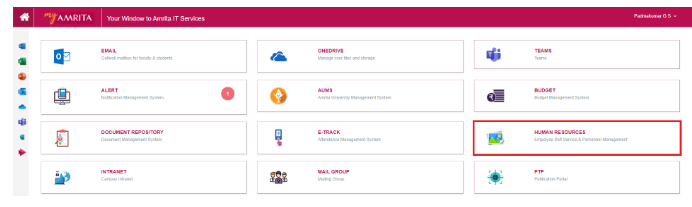
Steps to Bulk import monthly Salary Slip
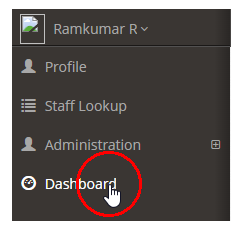
Click on Dashboard at the left side menu to load the dashboard.
At the right side of the page Click “Go To” >> Monthly Salary Import
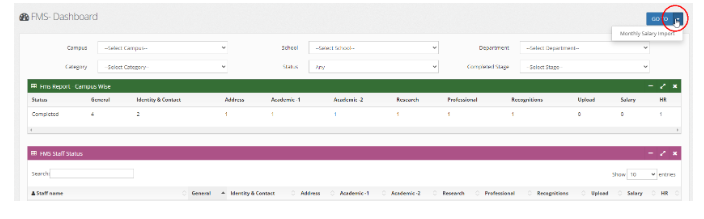
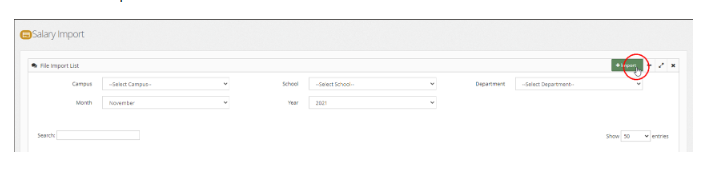
Click on Import button
Import the CSV File
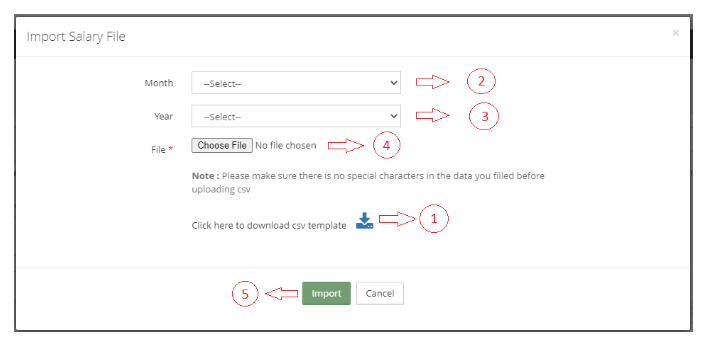
Import Salary File page opens
Download the csv template to your local machine and fill the data. The downloaded csv file will have the list of employees with their Employee ID in that school. You need to fill the relevant data and save the file to the local machine.
Select Month from drop-down
Select Year from drop-down
Click Choose File button and browse the data filled csv file (Make sure you have the csv file with all the data's filled ahead of time).
Click Import button at the bottom
View the List of imported monthly salary slips
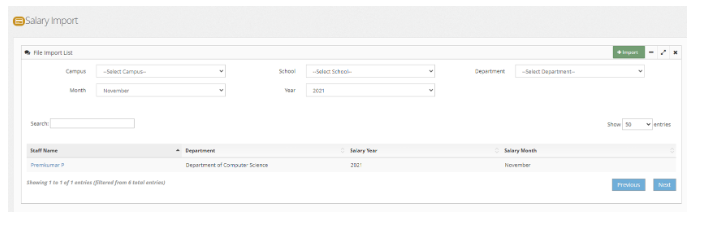
Use the filters like Campus, School, Department, Month and Year to view the list of Staffs with salary slip imported.
Click on the staff name to view Salary Slip details of that particular staff.
Download Salary Slip of a staff
Admin can download the salary slip to local machine in PDF format if required by clicking the download button.